Quick Start

Get an API key, authenticate in Swagger, and try core API calls.

Step 1 — Obtain an API Key

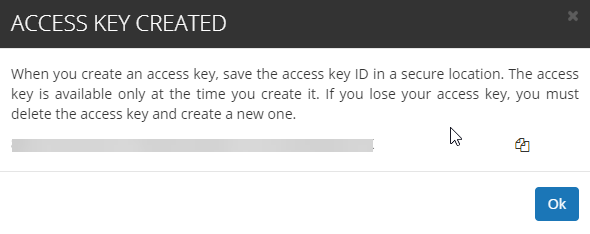
Every account can generate an API key. In the customer portal, open Settings and use the control at the bottom to create a new key. Copy and store it securely.

Authorization uses this key. Your permissions match your account role (e.g., admin vs viewer).
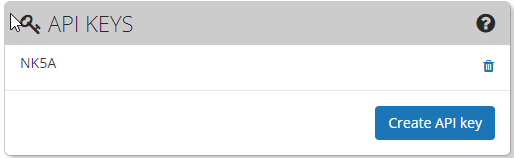
Generate new API key in Settings
Generate a new API key in your Settings page.
Copy the generated API key
Copy the generated key.

Step 2 — Authenticate in Swagger

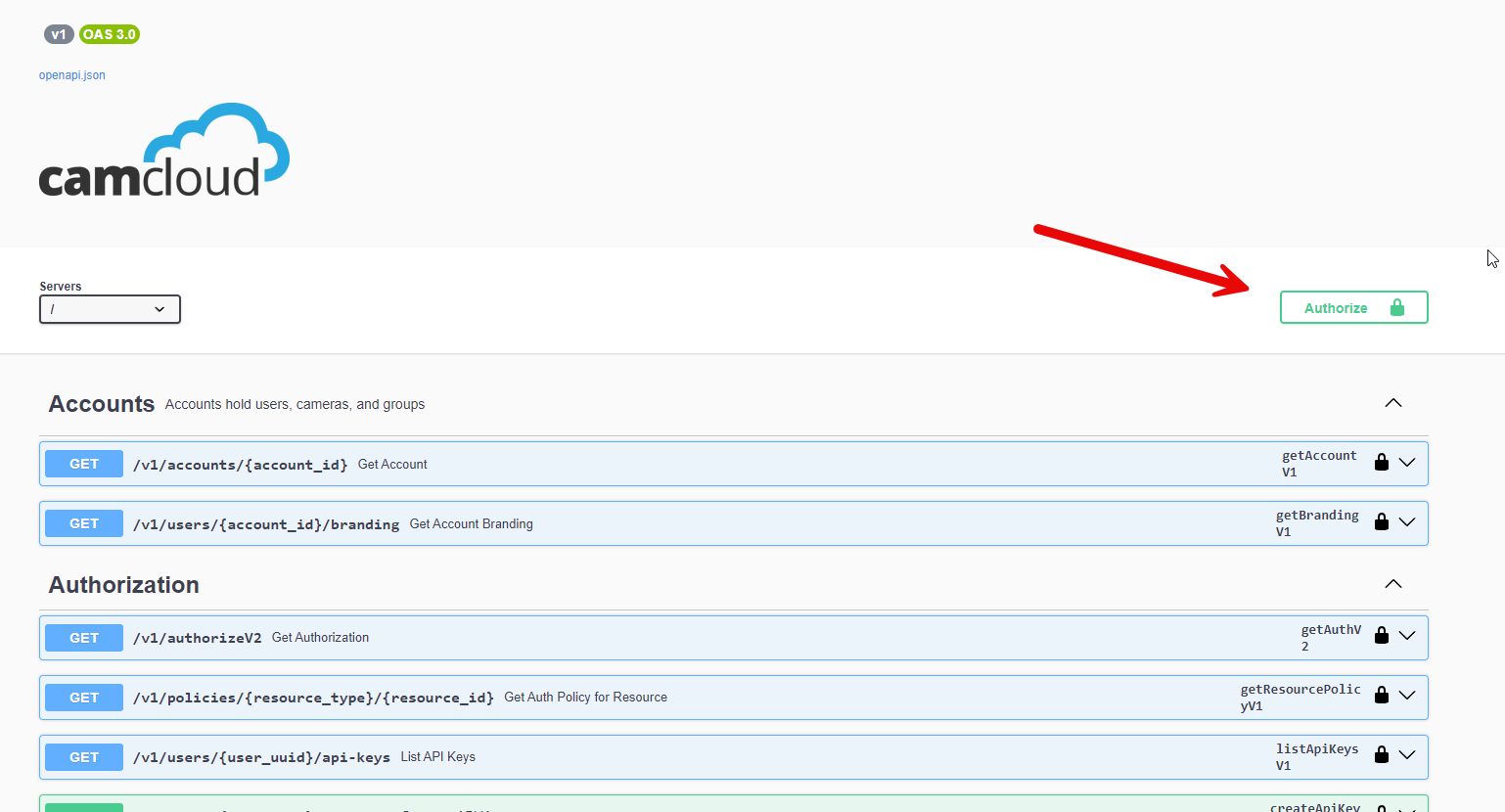
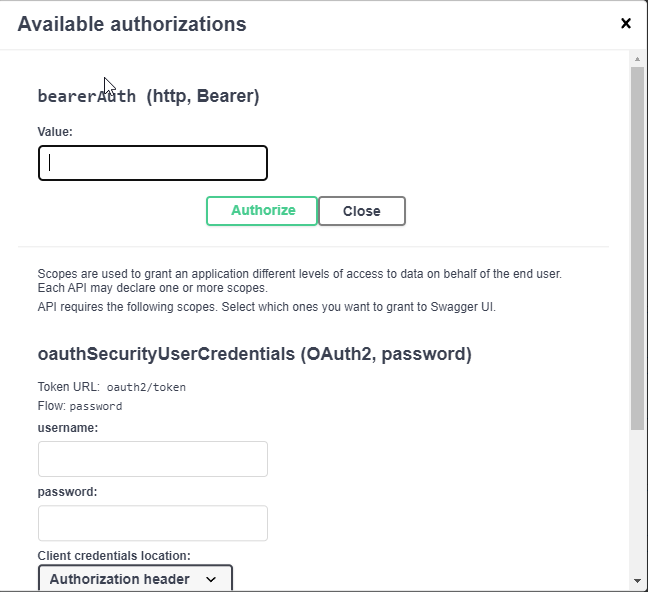
Before coding, use Swagger to try operations. Click Authorize and authenticate using your API key with the bearerAuth scheme, then close the dialog and execute requests.

Note: OAuth is not currently supported.

Swagger authorize button
Open the Swagger authorization dialog.
Bearer auth with API key in Swagger
Authorize using bearerAuth with your API key.

Step 3 — Try Core API Calls

Account ID

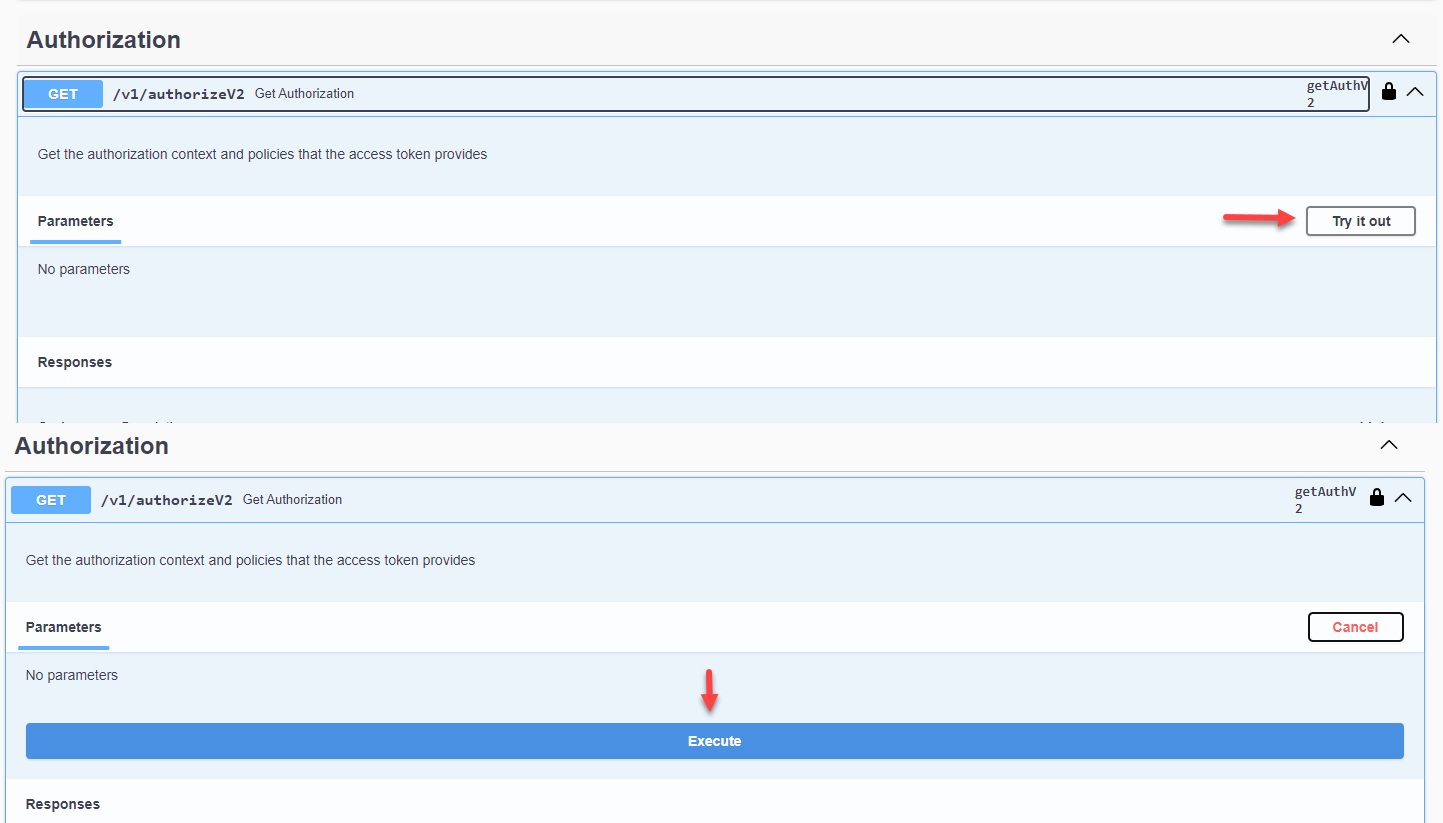
Run AuthorizeV2 after authenticating to retrieve your accountId from the response.

Camera ID

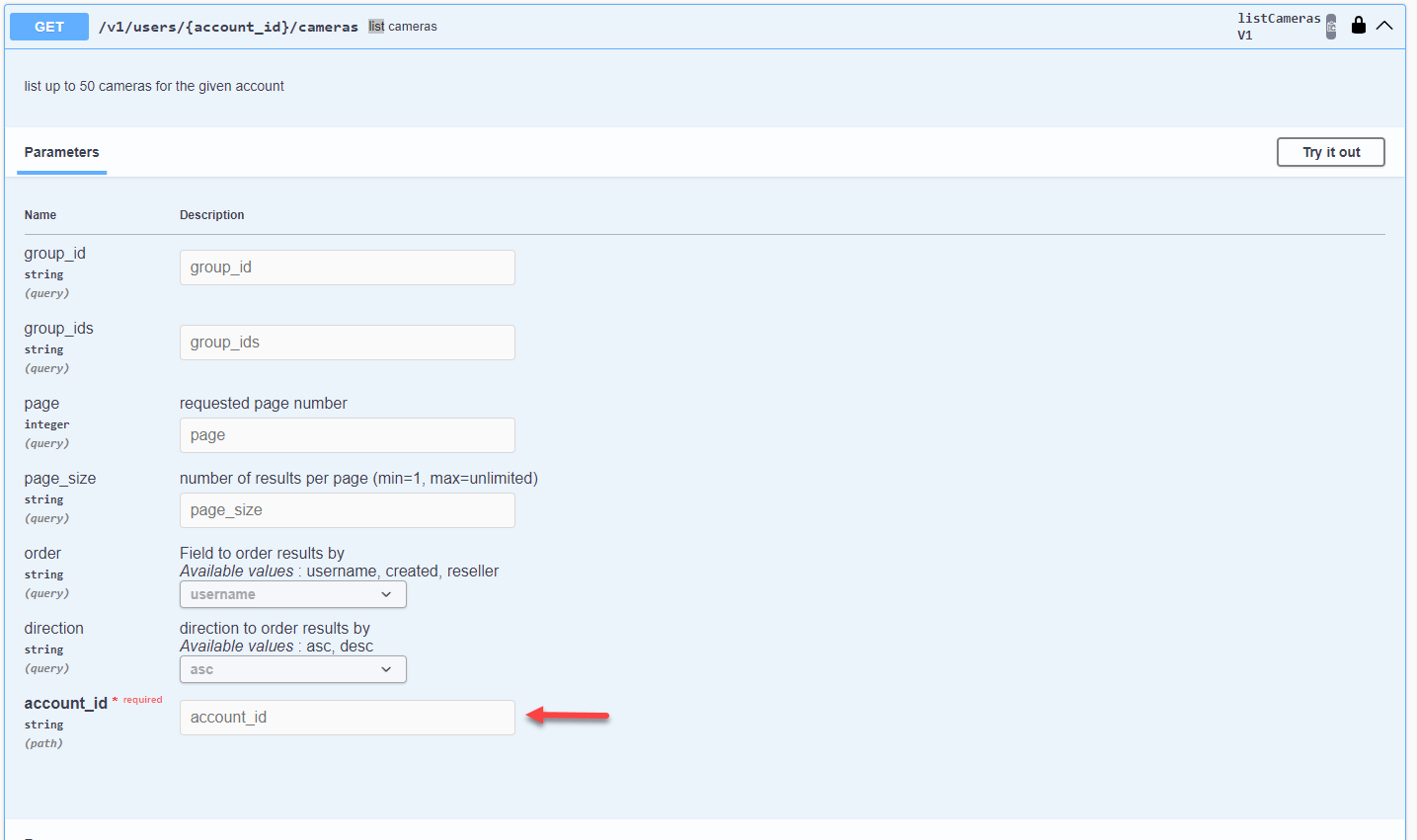
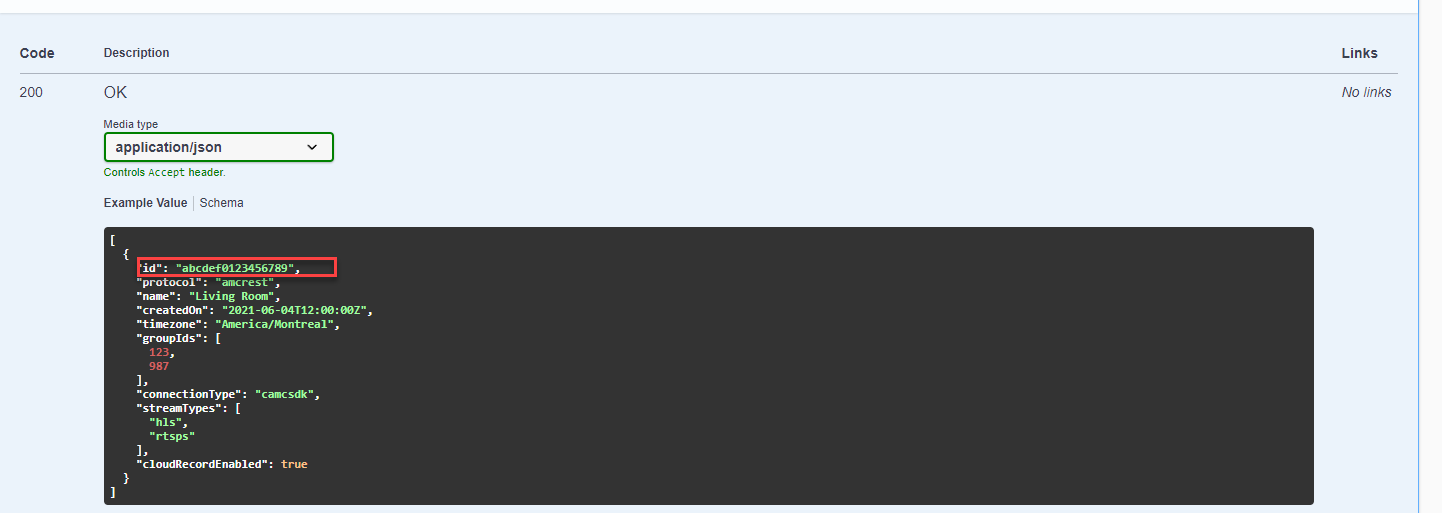
Use ListCamerasV1 with your accountId to get the list of cameras and their cameraId values.

Get a Live View URI

Call StartStreamV1 with a cameraId and preferred stream protocol to obtain a URI you can embed or use in third‑party integrations.

Get a Snapshot

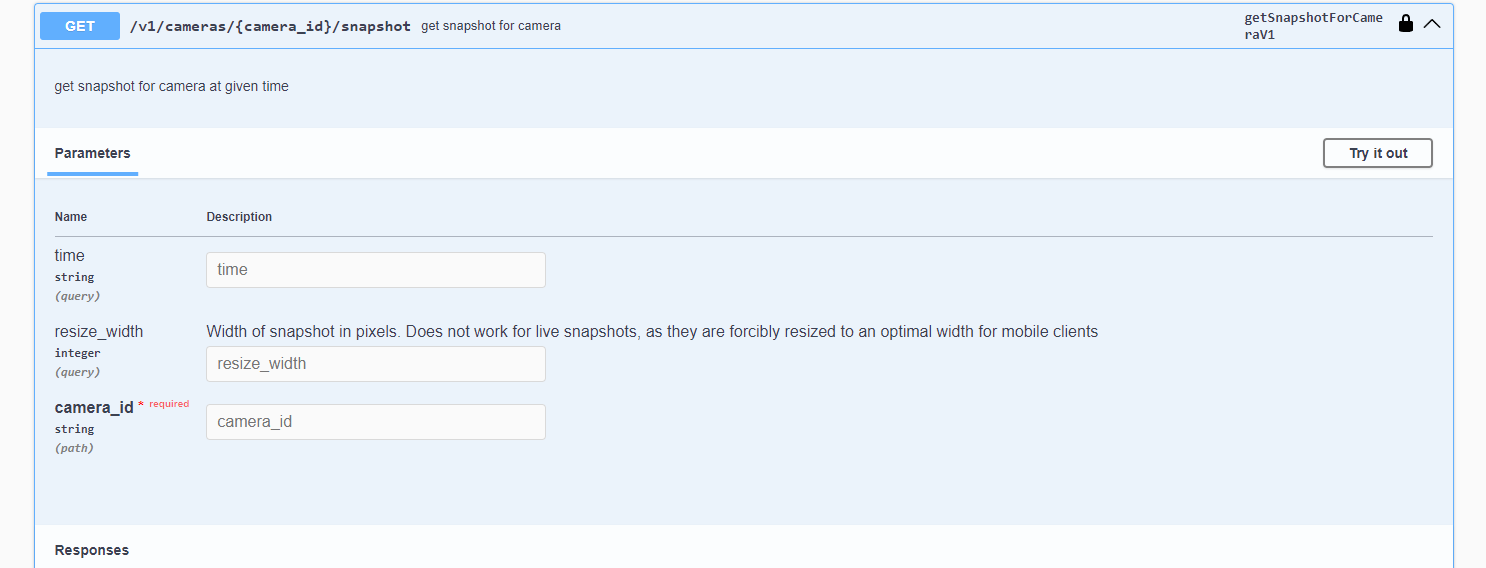
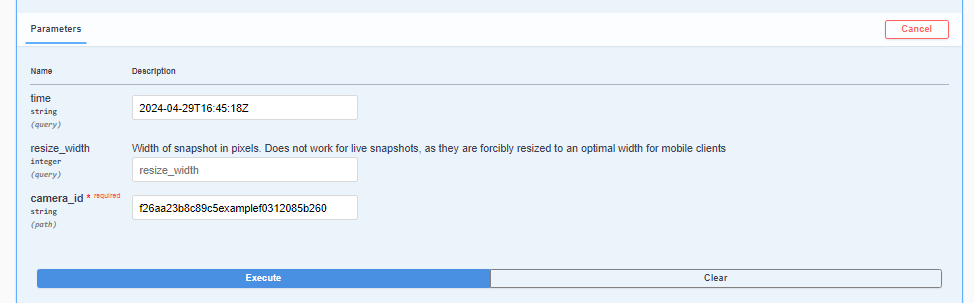
Call getSnapshotForCameraV1 with a cameraId for a live snapshot. Optionally include a UTC timestamp (e.g., 2024-04-29T16:42:31Z) to request a specific time.

AuthorizeV2 request
Run AuthorizeV2 to fetch your accountId.
AuthorizeV2 response showing accountId
accountId shown in the response payload.
ListCamerasV1 request
Use ListCamerasV1 with your accountId.
ListCamerasV1 response with cameras
Response includes cameras and their cameraId.
StartStreamV1 request
Call StartStreamV1 with the desired protocol.
StartStreamV1 response URI
Copy the returned stream URI.
getSnapshotForCameraV1 request
Live snapshot with getSnapshotForCameraV1.
getSnapshotForCameraV1 response image
Snapshot response example.
Timestamped snapshot example
Requesting a snapshot for a specific UTC timestamp.